Ready, Set, Explore: Free Khan Academy Classroom Activities
The first few days with a new classroom tool can easily turn into a tour of buttons, menus, and “click here, then click there.
And this year, Khan Academy may feel new for teachers, too.
We know your time is precious. When a tool you rely on changes in a big way, even improvements can come with a learning curve. The last thing you need at back-to-school is one more complicated thing to figure out.

That’s why we created a set of free Khan Academy classroom activities to help you and your students get comfortable with the new experience by actually using it. Start with the teacher scavenger hunt to learn the basics yourself. Then use the student scavenger hunt and whole-class Bingo challenge to help your class find their work, understand what to do next, and build confidence using Khan Academy.
Use all three during the first week, or choose the activity that works best for your classroom.
DownloadExplore Khan Academy with three simple activities
1. Start with the teacher scavenger hunt
Before students log in, take a few minutes to explore the new experience yourself. The teacher scavenger hunt helps you find your class code, make a first assignment, and get comfortable with the parts of Khan Academy you’ll use most, without asking you to learn everything at once.
2. Let students explore
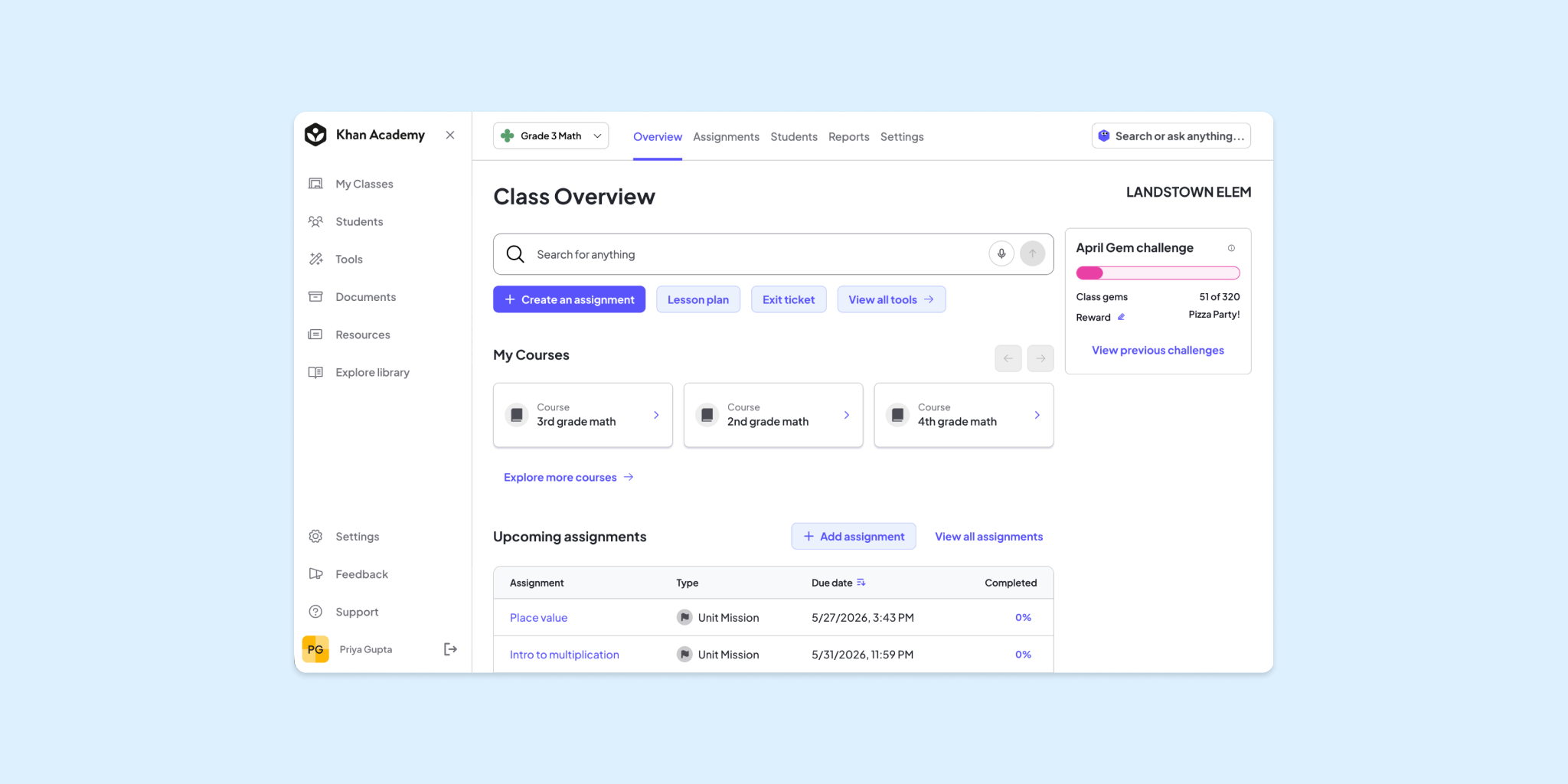
The student scavenger hunt turns orientation into an activity. Students find their assignments, Missions, progress, and Gems while learning how to navigate the platform on their own or with a partner.
3. Take on the class Bingo challenge
Keep practicing throughout the week with one shared Bingo card. Students work together to complete squares by finding work, checking progress, helping classmates, and using Khan Academy in class.
A few important teacher notes
Students don’t need to finish at the same pace. The purpose is familiarity, not speed.
Some Bingo squares may take a few days. If students don’t yet have a certain type of Mission, assignment status, or opportunity to earn Gems, leave that square for later in the week.
Let students teach one another. “Helped a classmate find their work” is intentionally part of the challenge. Peer support makes the experience feel like a classroom activity rather than a training session.
Use real work whenever possible. Students’ first experience with Khan Academy is more meaningful when exploration connects directly to something they’re learning.
You do not need to introduce every feature. The strongest first-week outcome is that students know the answers to the following questions: Where do I find what my teacher assigned? What should I do next? How can I tell I’m making progress?
Make the activities work for your grade level
The activities in this kit are designed to be flexible. You can use the same scavenger hunt and class Bingo challenge across grade levels by adjusting how much support students get.
The goal is the same for everyone: help students learn where to find their work, understand what to do next, and feel comfortable using Khan Academy in class.
Grades 2–4: Explore together
For younger students, make the activities more visual, verbal, and teacher-led.
Instead of handing out the scavenger hunt and asking students to complete it independently, project it and work through the challenges together.
Try prompts like:
“Can everyone find your Learning Queue? Give me a thumbs-up when you see it.”
You can also skip or simplify written responses. Students can
- point instead of write,
- circle an answer, or
- give a thumbs-up.
For Bingo, use one whole-class card and celebrate each discovery together. Focus especially on concrete actions such as logging in, finding an assignment, completing an activity, finding Gems, and helping a classmate.
Grades 5–8: Explore with a partner
The activities should work for middle-grade students, but partners can make the first experience feel easier and more fun.
Have students complete the scavenger hunt in pairs and encourage them to help each other before asking the teacher.
Pause periodically for quick class check-ins:
“Where do you look to see what’s due next?”
This age group is also great for quick “teach the teacher” moments. Ask a student to demonstrate one feature or explain it to the class in their own words.
For Bingo, the whole-class challenge works especially well. Students can contribute different discoveries while the class works toward one shared blackout.
Grades 9–12: Keep it quick and independent
For older students, keep the activity moving.
Frame the scavenger hunt as a short orientation challenge rather than a full lesson. Students can work independently or with a partner and skip items that are already obvious to them.
You might give them a goal like:
“You have 10 minutes. See how many challenges you can complete before we regroup.”
Older students may benefit most from tasks tied to independence and organization:
- finding current assignments
- checking due dates
- knowing what is complete or incomplete
Bingo can also feel more age-appropriate if you treat it as a first-week checklist with a class goal rather than a traditional game.
For example: “Let’s see if our class can complete 20 of these by Friday.”

Choose the right level of support
Grade level is only one factor. Choose the approach that fits your students’ comfort with technology and independence.
More support
Project the activity, read clues aloud, and complete it together as a class.
Some support
Have students work in pairs and pause for whole-class check-ins.
Independent
Let students complete the hunt on their own and ask a classmate before asking the teacher.
Extension
Have students become the expert on one feature and teach it to the class.
A tech-confident 4th-grade class may be ready for partner work, while a class of older students who are new to Khan Academy may benefit from more modeling. Use the level of support that works for your students.
Ready to explore?
Download the new Khan Academy classroom activity kit and use the scavenger hunts and whole-class Bingo challenge to help your students get started.
Download